DeepLab





INSTALLInstall on iPhone / iPad
View detailsHide details→
- 01
Open this page in Safari and tap “Download for iOS”.

- 02
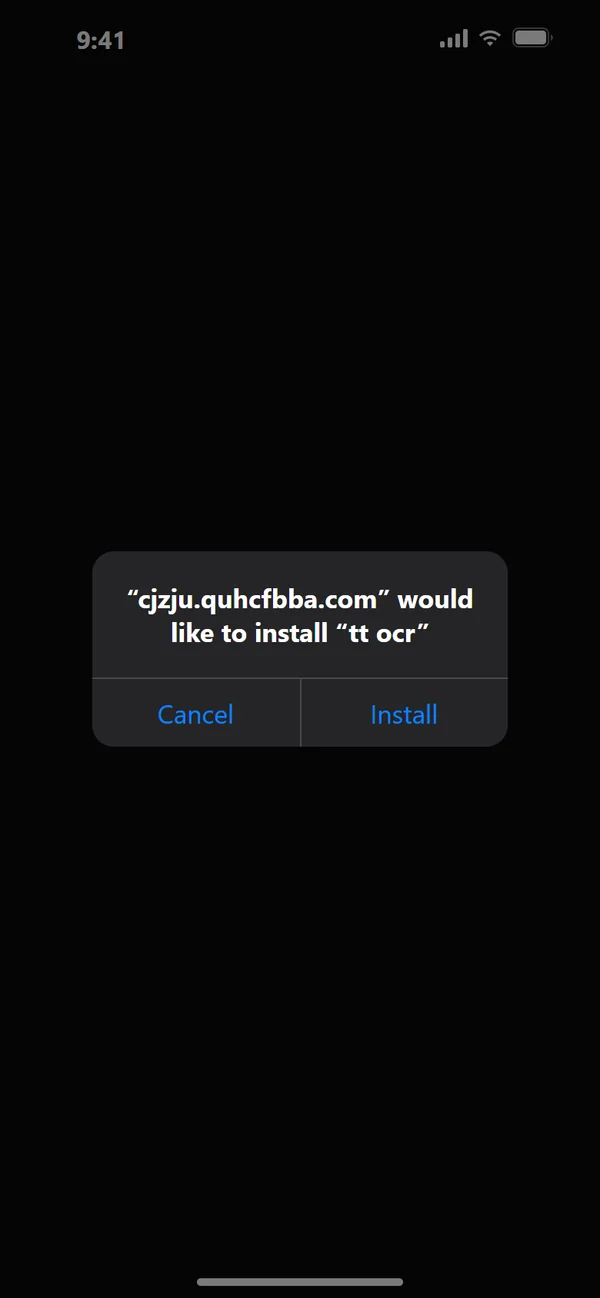
Tap “Install” on the install page, then tap “Install” again in the system prompt.
- 03
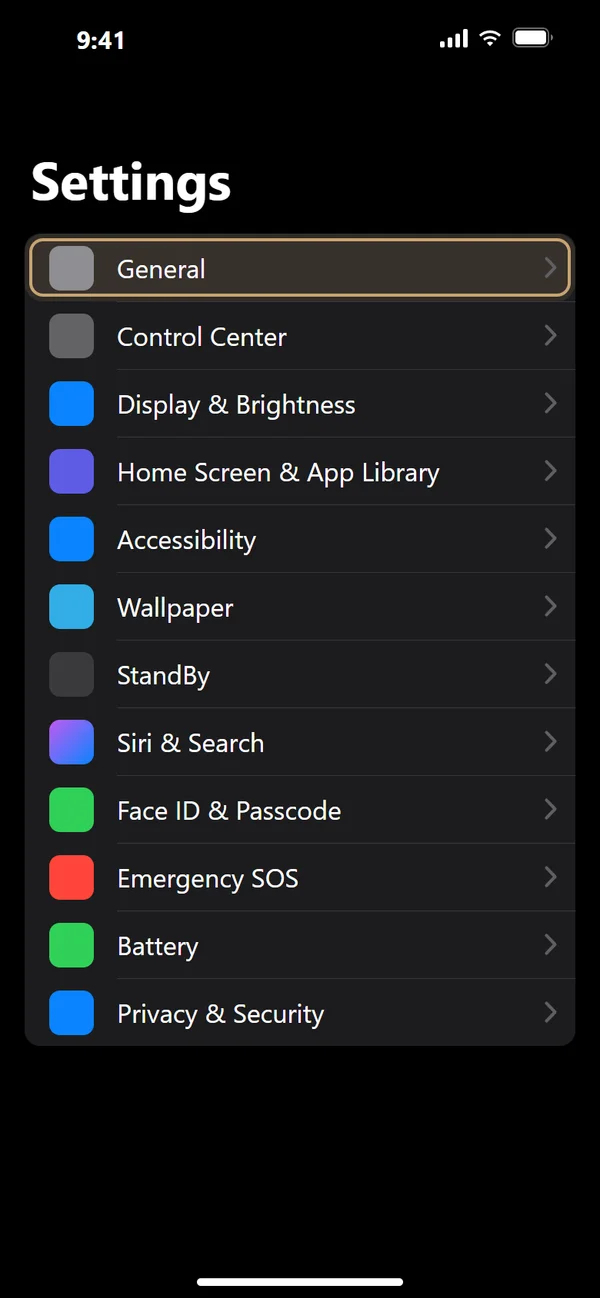
Go to Settings > General.
- 04
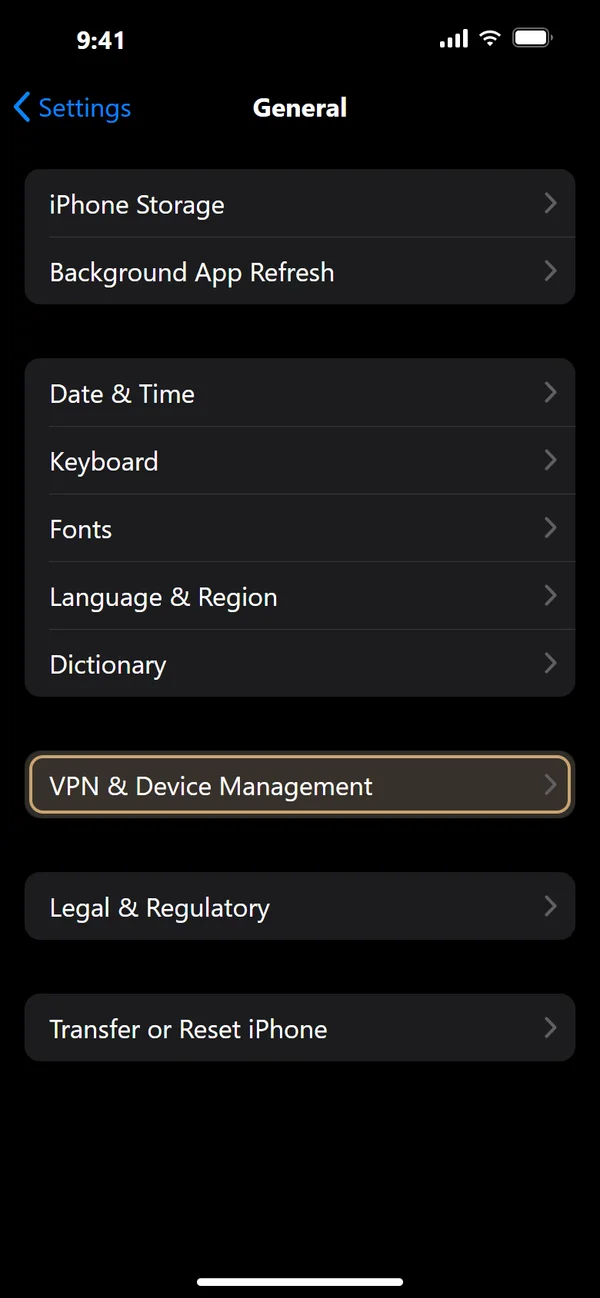
Select VPN & Device Management.
- 05
Under Enterprise App, select “China FAW Corporation Limited”.

- 06
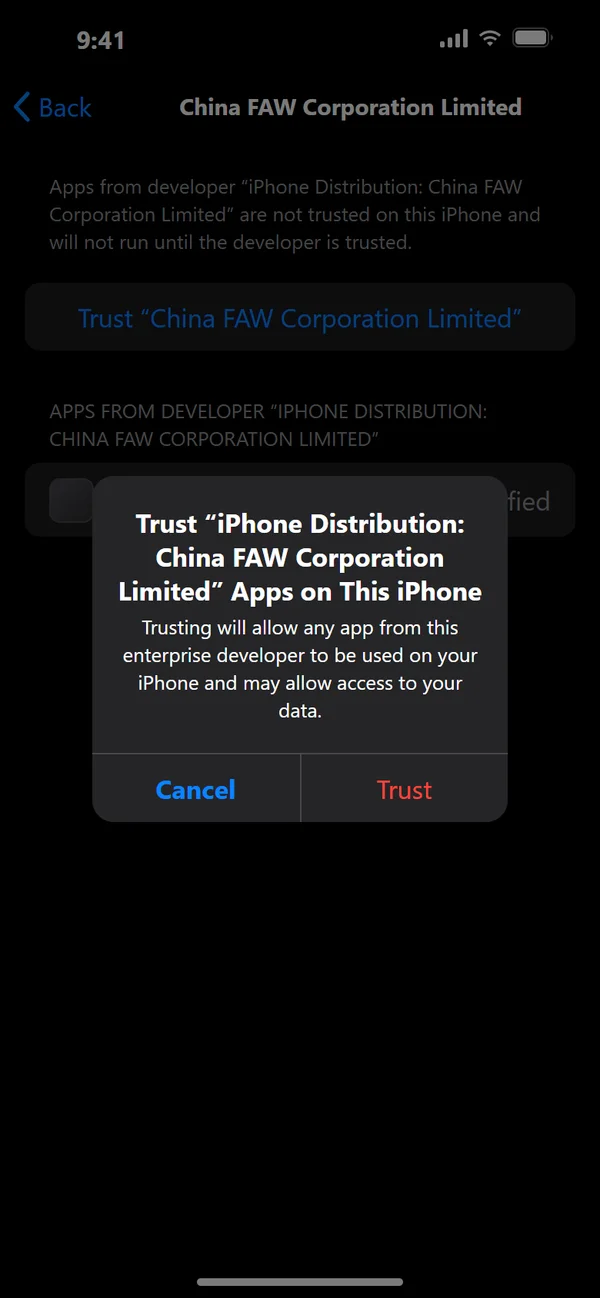
Tap “Trust ‘China FAW Corporation Limited’”.

- 07
Tap “Trust” (on iOS 18 or later, “Allow & Restart”), then return to the Home Screen and open “tt ocr”.
Requires iOS 16.6 or later · In-app browsers such as WeChat cannot install it — use Safari · On a computer the button shows a QR code; scan it with your iPhone / iPad camera · On iOS 18 or later the device restarts once while trust is established